How to Protect Crucial Evidence After a Self-Driving Car Crash
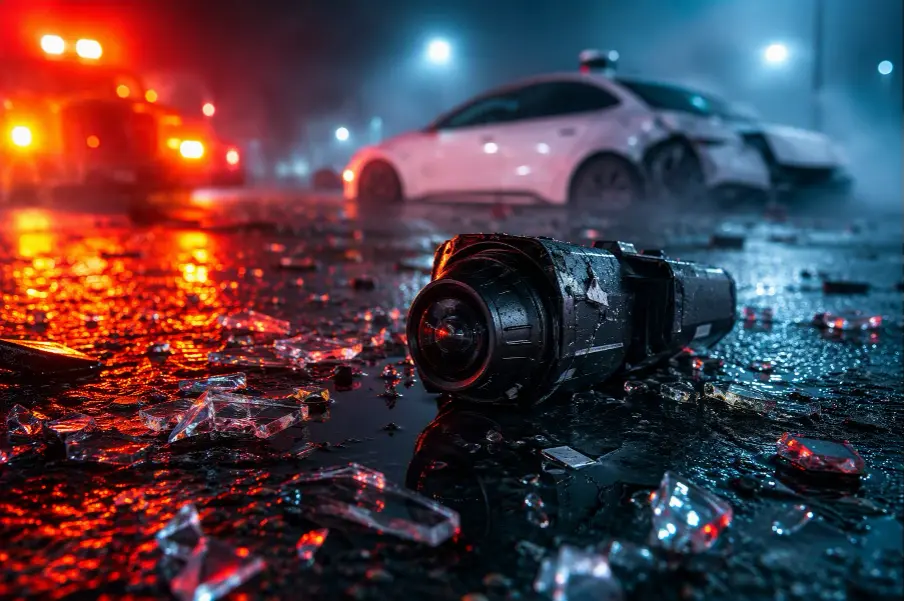
Skid marks and dented panels can stay visible for days after an ordinary collision. Broken glass lingers at the curb. Evidence connected to an automated vehicle behaves differently because it may be stored inside a damaged car, a mobile app, or a company-controlled system no driver can reach.
That difference shapes self driving autonomous vehicle product liability. What you preserve in the first hours may matter more than anything you reconstruct weeks later, and the cause of a crash often remains unclear at that stage. The driver's conduct may have contributed. So may the system's behavior, a component problem, or several conditions at once. Preservation protects information. It does not prove anyone caused the collision.
The First Hour Should Create a Reliable Crash Record
Get medical help before investigating the technology
Move out of traffic when it is safe, and call emergency services for anyone who might be hurt. Some symptoms appear hours after a collision, so get a medical evaluation even if you feel steady in the moment.
Keep the discharge papers and appointment records. Keep prescriptions and medical bills in the same file, along with notes from each follow-up visit. These documents establish dates and treatment that an autonomous vehicle liability lawyer will need. They don't guarantee any legal result.
Tell responding officers what you actually observed
Report the collision, then tell the officer what you personally saw. A visible system status counts. So does a takeover alert or an app notification. Unexpected braking and steering movement belong in the same account. Distinguish observation from assumption, because a guess written into a police report is hard to correct later. If you didn't see the operating mode, say that plainly.
Ask the officer to record the vehicle identification number and license plate. When a robotaxi is involved, add the fleet's name. Request that any visible mode indicator be noted, along with statements from occupants or a safety operator. Before the scene clears, get the report number and ask the department how to request the complete report.
Follow a safe order of operations
These steps form a practical sequence, and the order protects both people and records:
- Move to safety and call emergency services.
- Obtain medical attention.
- Report the crash to police.
- Photograph the overall scene before moving vehicles, when safe.
- Record vehicle and fleet identifiers.
- Collect witness contact information.
- Save app messages and trip details.
- Avoid authorizing nonessential repairs until you've documented the vehicle.
Safety directions always outrank evidence goals. If police, firefighters, medical personnel, or a towing professional gives an instruction, follow it before taking any documentation step.
Preserve the Evidence That Exists Outside the Vehicle
Keep original photographs and video files
Photograph the final vehicle positions before anything moves. Then capture the damage, debris, road markings, and traffic controls. Record the weather and lighting conditions. Look for cameras on nearby buildings or poles, and photograph visible injuries along with any dashboard display.
Keep the original files untouched. Metadata embedded in each photo may record the date, time, and location. Editing an original can strip that metadata away. Don't crop or filter the source files, and never save an edited version over the original. Make copies for sharing.
Record witnesses before memories fade
Collect each witness's name and a reliable phone number or email address. If the person agrees, record a short statement in their own words about what they saw or heard, or write it down and read it back for confirmation.
Note each person's role. An independent bystander may offer a different perspective than a passenger or fleet employee. Don't coach anyone. Suggestions about what the technology must have done can influence a statement that was otherwise based on the witness's own observations.
Save app messages and account records
Robotaxi trips generate their own paper trail. Save the trip receipt and ride confirmation, and capture the route screen as the app displayed it. Take screenshots of support chats and automated alerts, and keep any cancellation notice. Put emails and text messages about the crash in the same folder, along with a note of every phone call and its date.
Then check whether the platform offers an account-data export. Preserve the date and time of each item, and note who sent it. A cropped image that removes the date, sender, or surrounding thread can look ambiguous months later, when precise conversation details may matter.
Protect repair, towing, and inspection records
Keep tow receipts and storage-yard information. Ask for repair estimates, diagnostic scans, and invoices, and request any photos the repair facility took. Don't sell, scrap, reset, or authorize nonessential repairs to a relevant vehicle before documenting its condition.
Leave battery disconnection and shutdown decisions to trained personnel. Damaged electric vehicles can present serious safety risks, and a self-directed intervention may destroy data along with hardware.
Autonomous Vehicle Product Liability Requires a Digital Evidence Plan
Separate conventional evidence from technical records
A digital evidence plan starts with knowing what exists and who holds it. The table below separates the categories you can usually control from those that may require a request:
|
Evidence category |
Examples |
Likely holder |
Preservation concern |
|
Scene evidence |
Original photos, video, debris, road conditions |
Driver, passenger, police, witnesses |
The scene changes quickly |
|
Vehicle evidence |
Physical damage, onboard modules, diagnostic information |
Owner, tow yard, repair shop, insurer |
Repair, salvage, or power loss may alter availability |
|
App and account evidence |
Trip receipt, support messages, route record, alerts |
Rider and platform operator |
Accounts and interfaces can change |
|
Automated-system evidence |
Operating status, system logs, sensor status, software version |
Manufacturer, developer, or fleet |
The injured person may lack direct access |
|
Third-party media |
Business surveillance, traffic-camera footage, doorbell video |
Property owner or public agency |
Retention periods may be short |
The key pattern is that the records most specific to automation are the ones you're least likely to hold yourself.
Know what an event data recorder can and cannot establish
An event data recorder, sometimes called a black box, may capture a short technical snapshot tied to the crash. Depending on the vehicle and event, that snapshot can include speed, brake use, accelerator position, restraint information, or crash-force data. The federal framework in 49 C.F.R. Part 563 establishes requirements for standardized data elements in covered vehicles equipped with event data recorders.
Two limits deserve emphasis. An event data recorder is not necessarily a continuous video recorder, and it may not identify why an automated system made a particular decision.
Request the records that could explain system behavior
When you're ready to ask for technical records, the following categories may help explain system behavior if they were created, retained, and made available:
- Event data and available automated-driving logs
- Vehicle-mode history and takeover or disengagement alerts
- Available camera, radar, lidar, or other sensor records
- Software version and update history
- Diagnostic trouble codes and post-crash scans
- Maintenance, calibration, and repair records
- Robotaxi trip, dispatch, and remote-assistance records
- Manufacturer, fleet, or insurer communications about the incident
No vehicle records include every item, and a private person can't always obtain existing records without formal legal procedures. The list defines what to ask for, not what you'll receive.
Why both kinds of proof can shape the investigation
Ordinary crash evidence may show what happened on the road. Specialized digital information may show what the vehicle's systems detected and displayed at the time. The two can point in different directions, and self-driving autonomous vehicle product liability claims often turn on reconciling them: event data and automated-driving logs can contradict what a dashboard photo seems to show, or fill the gap it leaves open. Sensor information, software records, and fleet materials can belong in the same file as the photos and receipts you gathered at the scene.
Preserve first and interpret later
Resist the urge to diagnose. A dashboard alert, sudden maneuver, or social media post may suggest a sensor defect, but each can be misleading. Your job at this stage is to preserve what happened and what the systems displayed, not to explain it.
Take one concrete action before moving on: save an unedited copy of the display photograph exactly as the camera recorded it.
Proving Vehicle Mode During a Crash Takes More Than One Clue
Proving vehicle mode during a crash rarely turns on a single clue. A dashboard image tells part of the story. So does the app record, along with the accounts of people who watched the vehicle move.
Capture displays, alerts, and control transitions
If it is safe, photograph the dashboard indicators exactly as they appear. Save alerts tied to activation or disengagement. Keep any driver-monitoring warning or takeover request. Treat a remote-assistance notice or system-unavailability message the same way. These records may show what the vehicle displayed and when.
Words matter here. "Autopilot," "driver assist," and "self-driving" can describe systems with very different operational limits, so record the exact wording shown on the screen rather than relying on a marketing name.
Match the display evidence with technical and human accounts
Several sources can help establish the vehicle's mode. Onboard data may show when automation was active. App information may reflect the trip state at the time. Police observations add another layer. So do witness statements and occupant accounts, while fleet records may fill remaining gaps.
A photograph of the dashboard can support a mode determination, but it may show only one moment. A stronger approach compares that image with system logs and alerts, then weighs both against witness accounts and the collision timeline.
Treat public crash-reporting data carefully
NHTSA requires specified manufacturers and operators to report certain crashes involving automated-driving systems or Level 2 driver-assistance systems under its Standing General Order on Crash Reporting. The reporting framework can help identify categories of information worth requesting. However, public reports don't necessarily include every technical record, and you shouldn't use them alone to determine fault or compare the safety of different systems.
Troubleshooting Missing Logs, Robotaxi Records, and Insurer Requests
How can a robotaxi passenger protect app and fleet records?
Start with the app. Save the trip receipt and route screen before the interface changes. Record the vehicle identifier and the fleet's name, then report the event to the police. Take screenshots of every support message and any notice that arrives after the collision.
A prompt written request can identify what the fleet should retain. Name the trip information and vehicle logs. Ask for available video, dispatch records, and any remote-assistance communications. A request doesn't guarantee access, though, and it is not a subpoena or court order.
What if the owner cannot download the system logs?
Lack of direct access doesn't make your other evidence useless. Preserve the vehicle itself, along with the original photographs. Keep your account records and repair history, and save every response you receive from the manufacturer or fleet.
Don't use unofficial software, remove modules, or attempt a technical extraction without qualified help. Those efforts can damage the vehicle or alter the data. They can also create safety hazards and invite later disputes about reliability.
Should you provide an early recorded statement to an insurer?
The key distinction is whose insurer is asking. Your own policy may impose cooperation duties, so check its language before deciding. A request from another party's insurer raises different considerations because that company's interests may not align with yours.
Either way, don't guess about the operating mode, the software's behavior, speed, or events you didn't see. You can ask your questions in writing. Review your policy obligations first, and consider getting advice before sitting for a recorded interview. This is not a blanket instruction to refuse all communication.
What if repairs, updates, or towing have already occurred?
Gather the work order and tow logs. Ask the facility for diagnostic scans and every invoice, and collect photographs along with the names of everyone who handled the vehicle. Ask what components were replaced, whether any software update or reset occurred, and whether a calibration or data download took place.
An update doesn't prove wrongdoing. Its date and scope may simply help establish the vehicle's technical history.
When Important Records Remain Under Corporate Control
A preservation request should identify records precisely
A narrowly described request is more useful than a generic demand to "save everything." State the crash date and approximate time. Describe the location and vehicle involved, and provide the account or trip number. Then name the categories of records that matter.
Retention practices and legal procedures vary among record holders. A preservation request that alerts a company to relevant information does not automatically compel the company to produce anything.
Legal help may be useful before evidence changes
An autonomous vehicle liability lawyer familiar with these cases may help identify who holds the records. Counsel can communicate preservation requests and coordinate an appropriate inspection of the vehicle. Determining which legal process applies is part of the same work. Hiring counsel doesn't guarantee access, recovery, or any particular outcome.
Preserve First, Interpret the Crash Later
Health and scene safety always come first. After that, the principle is simple: keep original records unchanged, and use copies for sharing. Keep photos and messages exactly as they were created. Receipts and reports deserve the same protection, because a clean original beats a convenient edit. Technical evidence needs prompt attention too, since corporate retention schedules won't wait for your timeline.
One instruction applies to every scenario in this guide: keep an untouched copy of every original file and communication connected to the collision, and store it where you won't accidentally modify it. Preserve the evidence before drawing conclusions.
More to Read:








Previous Posts: